Uptime Monitoring for SaaS Founders
Every minute your app is down is a churn risk, a refund request, and a support ticket you didn’t want. StatusDrift watches your web app, APIs, background jobs, and SSL certificates every 30 seconds — and gives your customers a public status page so they trust you more, not less, when something breaks.
Free forever tier. No credit card. No sales call. Paste a URL and go.
Why SaaS Founders Pick StatusDrift
Running a SaaS means your product is the business. If it’s down, your MRR is at risk. You need monitoring that catches outages before customers do — and communication tools that keep them on your side when something does break.
Protect revenue, not just uptime
30-second checks from multiple regions. Assertions on response bodies and JSON fields so you catch a 200 that’s secretly a broken checkout. Background-job monitoring for the cron that charges cards. The parts of your product that make money get the scrutiny they deserve.
A status page your customers trust
Host status.yourapp.com on your own domain, branded as your product. When something breaks, customers have somewhere to check before they open a ticket — and the page runs on separate infrastructure so it stays up exactly when your app doesn’t.
Pricing that doesn’t punish growth
No per-seat fees. No “contact sales” for SSO. No enterprise tier gatekeeping features a growing SaaS actually needs. Published dollar pricing, invite your whole team on any paid plan, upgrade the day you need more — not before.
Know Before Your Customers File Tickets
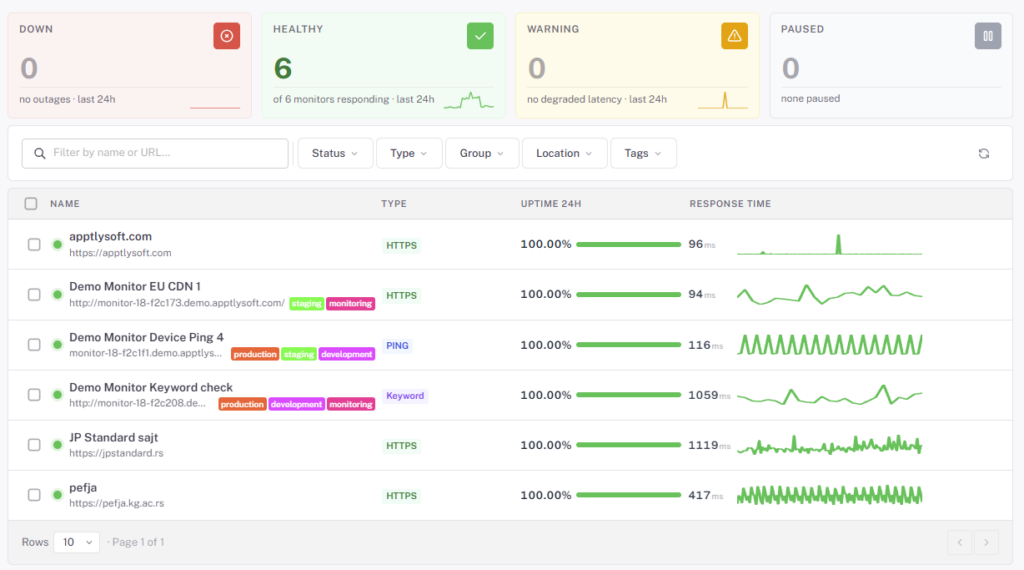
The worst way to find out your SaaS is down is a customer email. StatusDrift runs checks against your app every 30 seconds from multiple global regions — and lets you tune how sensitive the alerting is per monitor.
30-second, multi-region checks
Every paid monitor runs on a 30-second cadence from checkpoints around the world. Know about a real outage within a minute — not 15 minutes later when the first support email arrives.
Alerting you control
Per monitor, choose a notification delay (immediate up to 1 hour), a consecutive checks down threshold, and a locations down threshold. Page instantly on the checkout flow, wait out a transient blip on the marketing site. Smart alerting docs →
Response-time tracking
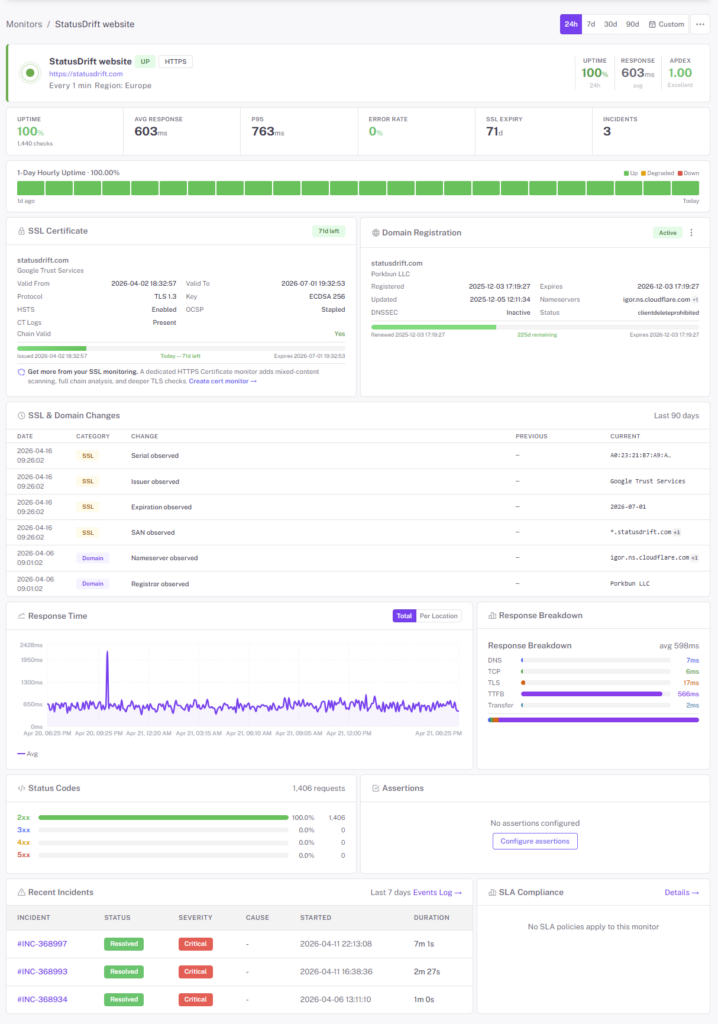
SaaS apps rarely fail cleanly — they get slow first. StatusDrift charts response time over time and alerts on latency thresholds, so you catch a degrading database or a saturated worker pool while it’s still fixable.
Monitor Your Entire SaaS Stack
A SaaS isn’t a single URL. It’s a web app, an API, a handful of background jobs, a webhook listener for Stripe, an SSL certificate, a DNS record, and probably a few third-party services you’d rather not pay a second monitoring vendor to watch. StatusDrift covers all of it from one place.
- Web app & public APIs — HTTP/HTTPS checks with GET, POST, PUT, PATCH, DELETE, custom headers and request bodies
- Authenticated endpoints — Basic, Bearer token, OAuth, API key, and custom header auth so you can monitor what’s behind login
- Keyword & content assertions — catch broken deploys that still return 200 (a maintenance page instead of your app, for example)
- Background jobs & cron heartbeats — give scheduled jobs a URL to ping; if the ping doesn’t arrive, we alert you. Perfect for billing runs, nightly syncs, and workers
- SSL certificates — expiry alerts 30, 14, 7, 3, and 1 day out, plus chain validation. Never scramble for an expired cert on a Sunday
- Domain expiration — the cheapest outage to prevent: don’t lose the domain the day before a launch
- DNS records — monitor A, AAAA, CNAME, MX, and TXT records. Flag propagation issues or records changing when they shouldn’t
- TCP / port checks — databases, message queues, cache servers — anything listening on a port
- Webhook endpoints — verify that the callback URL for Stripe, GitHub, or your own integrations is still up and returning expected content
API Monitoring That Validates Real Behavior
Your API returning HTTP 200 doesn’t mean sign-up works. It doesn’t mean the webhook fired. It doesn’t mean billing ran. StatusDrift checks what the response actually contains — not just the status code.
- JSONPath assertions — validate specific fields in nested responses (
data.user.id,meta.total > 0) - JSON Schema validation — reuse your existing API schema to verify structure on every check
- Multi-step workflows — chain requests, pass values between steps, validate at each one. Test “log in, create a resource, verify it exists” as a single monitor
- Authentication flows — Basic, Bearer, OAuth 2.0, API key, custom headers. Monitor endpoints that require a real session
- Custom request bodies — send JSON or form data with each check. Exercise POST and PUT endpoints, not just the GET ones that are trivially safe
- Per-region latency alerts — match your customer base. Flag the regions where the API got slow before support does
A Status Page Customers Actually Check
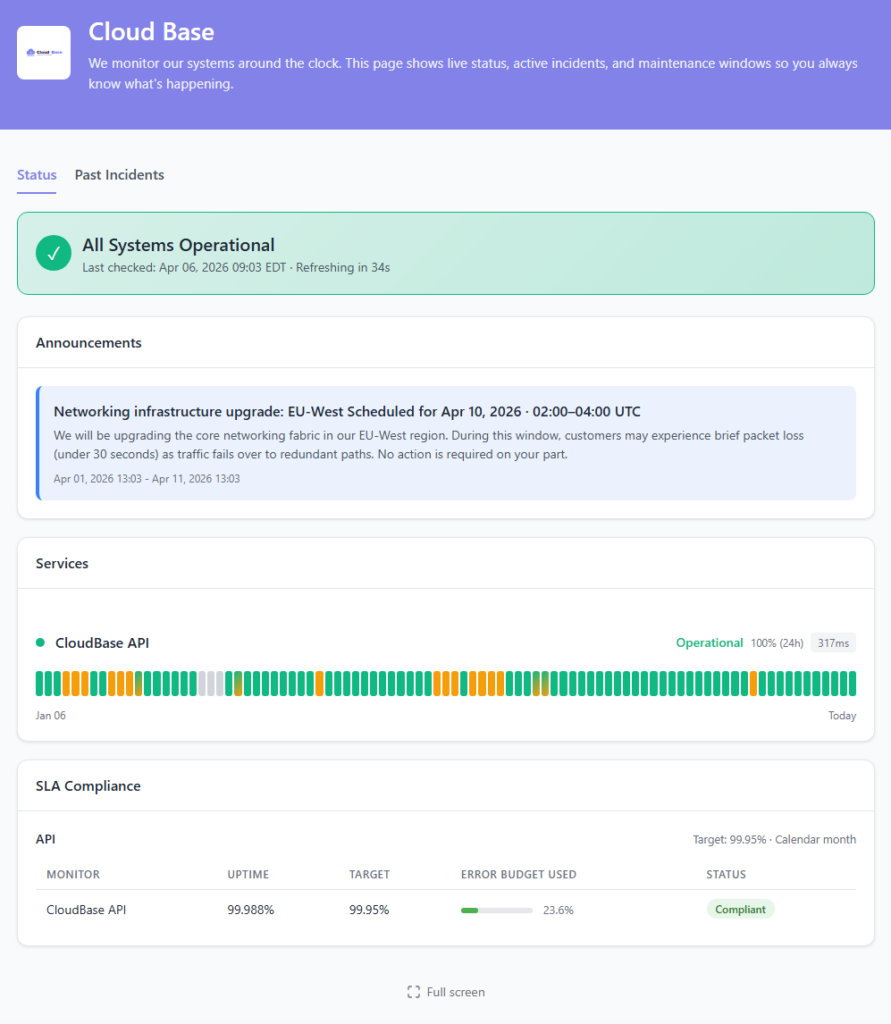
When your app goes down, customers want two things: confirmation it’s not their problem, and a sense that you know about it. A public status page at status.yourapp.com answers both before the first support ticket gets created — and it’s hosted separately from your main infrastructure, so it’s still online when you most need it to be.
- Custom domain & branding — your logo, your colors, your domain. Looks like part of your product because it is
- Components tied to monitors — “API,” “Dashboard,” “Webhooks” — each one auto-updates based on the monitors behind it
- Scheduled maintenance — announce planned windows in advance, post updates during, resolve when done
- Public incident timeline — every state change, timestamped, visible to customers so they don’t have to ask
- 90-day uptime history — the receipts for the reliability claims on your pricing page
- API-driven incidents — open, update, and resolve incidents programmatically from CI/CD or your own tooling
Alerts Where Your Team Works
Route downtime alerts to the channels your team already checks. Split paging by severity, silence noisy services during deploys, and skip the enterprise on-call contract you don’t need yet.

Slack

PagerDuty

Opsgenie

Microsoft Teams

Discord

Webhook


Mobile Push
Also supported: Telegram, Google Chat, Mattermost, ServiceNow, Pushover, Pushbullet, Zapier, IFTTT, n8n, and generic webhooks for anything else.
Scale Your Team Without Paying Per Seat
As your SaaS grows from two founders to a real team, StatusDrift grows with you — without a per-seat tax on the people who only glance at the dashboard. Organization-level roles, group-scoped membership, and SAML SSO, all included on paid plans. Team roles docs →
Organization roles
Admin runs the account and billing. Global Editor manages monitors and status pages without touching billing. Global Viewer gets read-only across the whole workspace. Global Communication can post incidents and updates without editing monitors — ideal for support, CS, or a non-technical founder.
Group-scoped access
Got multiple products, or separating staging from production? Put monitors in groups and invite Members to only the groups they should see. A contractor on your staging env doesn’t need to see what’s happening in production.
SAML single sign-on
Connect any SAML 2.0 identity provider — Google Workspace, Microsoft Entra ID, Okta, JumpCloud, and the rest. Roles can be assigned from your IdP, so deactivating someone there revokes their StatusDrift access in the same step.
What You Actually Get on the Free Plan
No credit card, no trial clock, no “free until we decide otherwise.” The free plan is a real product — usable for an early-stage SaaS with a real status page on a real domain.
- Up to 5 monitors
- 5-minute check interval
- HTTP, keyword, ping, port, cron/heartbeat checks
- SSL certificate expiry monitoring
- Multi-region checks & configurable alert thresholds
- Email, Slack & webhook alerts
- One public status page
- 90-day data retention
- Full REST API access
- No credit card, no time limit
Pricing for SaaS Teams
Start free. Upgrade the day you need 30-second checks, custom-domain status pages, or SAML SSO — not before. Published dollar pricing, no per-seat math.
Free
For pre-launch and early-stage SaaS. 5 monitors, 5-minute checks, email + Slack + webhook alerts, one public status page, 90-day data retention. No credit card, no time limit.
Pro
For growing single-product SaaS. 30-second checks, multi-step API workflows, JSON assertions, status pages on custom domains, mobile push alerts, and longer incident retention.
Business
For SaaS teams shipping together. On-call rotations, team API tokens, role-based access, SAML SSO, PagerDuty & Opsgenie routing, and multiple status pages with full branding.
Questions SaaS Founders Usually Ask
How fast will I know something’s down?
On paid plans, checks run every 30 seconds from multiple regions. You choose how aggressive the alerting is per monitor: immediate notification, a delay of up to an hour, a minimum number of consecutive failures, or a minimum number of locations reporting down. Page instantly for the checkout, wait out a flaky third-party on a background job.
Can it check more than HTTP 200?
Yes. Assert on response bodies (keyword match), on specific JSON fields (JSONPath), or on JSON Schema. Chain multiple requests into a multi-step workflow to verify entire flows — log in, create a record, verify it was stored. 200 is the floor, not the ceiling.
Does the status page stay up when my app goes down?
Yes — status pages are hosted on infrastructure independent from your application. If your production goes dark, the page customers use to check on you stays online.
Can I monitor private or internal APIs?
Public endpoints work out of the box. For internal services, whitelist our check IPs at your firewall — a full IP list is in the docs. No agent to install, no VPN to configure.
Do you do on-call scheduling?
The Business plan includes built-in on-call rotations and escalation policies. If you already live in PagerDuty or Opsgenie, we route there natively — StatusDrift just becomes the alert source.
Can I manage monitors as code?
Yes. Every dashboard action has a REST endpoint, and we publish a Terraform provider. Keep monitors in version control next to the infrastructure they watch, diff them in pull requests, and apply them in CI.
Start Monitoring Your SaaS
Free forever tier. No credit card. No sales call. Paste a URL and get an alert the next time something breaks.