
Uptime Monitoring for IT Operations
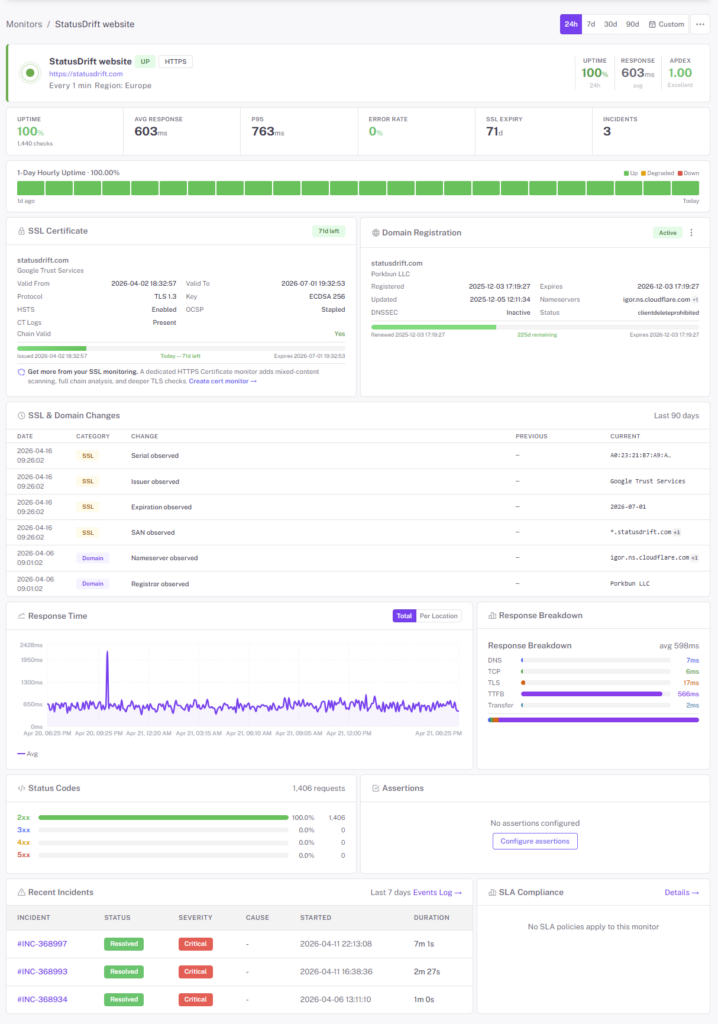
Keep the services your business runs on — ERPs, internal portals, VPN gateways, mail relays, public sites — visible and measured from outside your network. Route alerts to whoever’s on call, coordinate the response in one place, and hand the timeline straight to your post-mortem doc.
Free forever tier. No credit card. No sales call.
Why IT Teams Pick StatusDrift
Your internal monitoring agrees with itself. StatusDrift tells you what employees, partners, and customers actually see — and gets the right person paged before the help-desk queue fills up.
External, out-of-band verification
Checks run from probes outside your perimeter, on infrastructure separate from the services they watch. If the VPN concentrator stops answering from the branch offices, the SSO cert breaks for remote users, or your ISP drops a BGP route, you hear about it immediately — not from a VIP whose mailbox just went dark.
Alerts per service, not per account
Attach one or more alert channels to each monitor — or hand it off to a calendar-based escalation path for anything that needs an on-call rotation. Page Slack for the marketing site, push to the on-call phone for the ERP, email the whole team for an SSL expiry. Silence it all during a maintenance window without touching the monitor itself.
One tool for monitor, incident, and status
Checks fail, incidents open, the on-call gets paged, and the public status page updates — in the same product, off the same data. No shuttling context between a monitoring tool, an incident tracker, and a separate status-page vendor. Fewer bills, fewer integrations to babysit, fewer places for the truth to drift.
Every Service IT Owns, In One Place
The services that keep a business running aren’t just websites. They’re an ERP behind SSO, a mail relay on port 25, a DNS record pointing at the right load balancer, a domain cert that expires on a Sunday, and the nightly job that copies last quarter’s data off to cold storage. StatusDrift watches all of it.
- HTTP / HTTPS — internal portals, ERP and HR apps behind auth, public sites and APIs. Assert on status codes, response bodies, JSON fields, and headers
- TCP & port checks — databases, message queues, SMTP, LDAP, RDP gateways — anything listening on a port
- DNS records — A, AAAA, CNAME, MX, and TXT records. Catch propagation delays, unauthorized changes, and MX records that quietly stopped resolving
- SSL certificates — expiry alerts at 30, 14, 7, 3, and 1 day out, plus chain validation. No more Sunday-night renewal fire drills
- Domain expiration — the cheapest outage to prevent is the one where finance missed the renewal invoice
- Cron / heartbeat checks — give a scheduled job a URL to ping when it finishes. No ping = page. Perfect for backups, log rotation, nightly AD syncs, and ETL runs
- Ping / ICMP — network connectivity for servers, appliances, and devices that don’t expose an HTTP endpoint
- Keyword & content assertions — catch a 200 that’s secretly a maintenance page or a broken deploy
On-Call Scheduling Without a Second Product
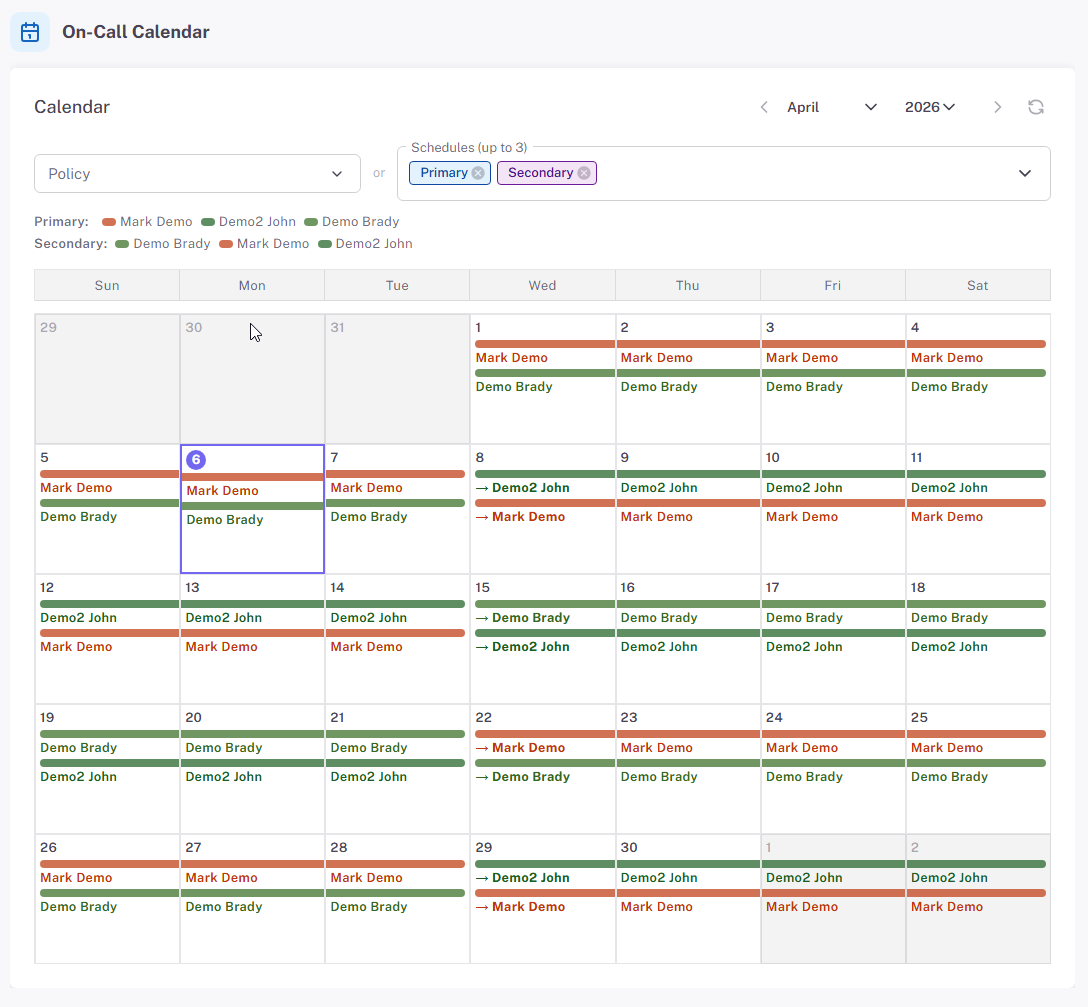
Business-plan accounts get calendar-based on-call scheduling built in. Define who carries the pager this week, set an escalation path for unacknowledged alerts, cover a holiday with an override, and point any monitor at the schedule. When a critical check fails, StatusDrift pages the person on call right now — not the whole team, not the person who left last quarter.
- Calendar-based rotations with weekly or custom shift lengths
- Escalation steps when the first responder doesn’t acknowledge
- One-off overrides for holidays, PTO, and handover weeks
- Attach a schedule to any monitor — keep others on a direct channel list
- Already using PagerDuty or Opsgenie? Route there natively and let your existing rotations handle paging
Alerting You Can Actually Tune
A good alert is one the on-call is glad to get at 3am. A bad alert is the eleventh one they’ve ignored this week. StatusDrift gives you per-monitor controls so the signal-to-noise ratio matches how critical the service actually is.
Fast checks on paid plans
Paid monitors run on a 30-second cadence from multiple regions. Free monitors run every 5 minutes. Pick the frequency that matches how much downtime actually costs you for each service — not a single account-wide setting.
Per-monitor alert thresholds
Set a notification delay (immediate up to 1 hour), a consecutive checks down threshold, and a locations down threshold per monitor. Page instantly on the ERP, wait out a transient blip on the marketing site. Smart alerting docs →
Multi-location verification
Require failures from multiple locations before a monitor goes red. A single checking node having a bad minute doesn’t page anyone; a confirmed regional problem does. Fewer false positives at 3am, more trust in the alerts that do fire.
Incident Response & Post-Mortems
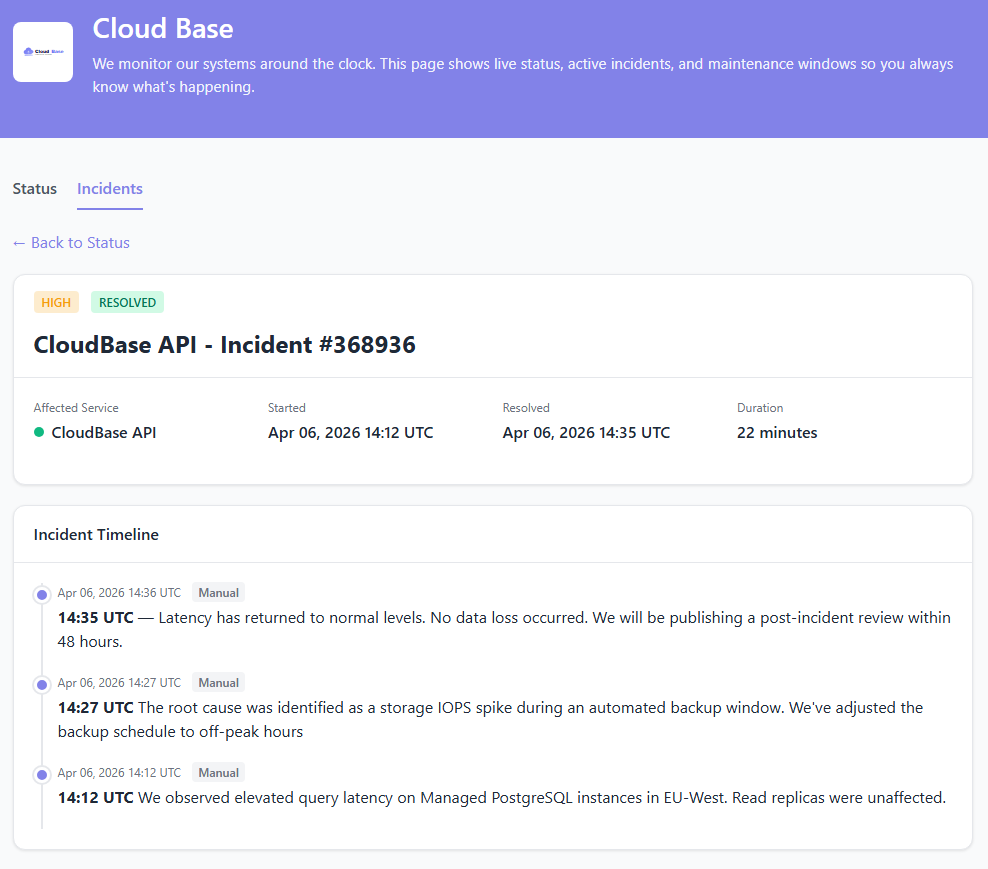
When a check fails, StatusDrift opens an incident, notifies the right people, and gives you a place to coordinate the response. Every state change is timestamped, so when the dust settles, the post-mortem writes half of itself.
- Automatic incident creation from failing checks, with the monitor, failure reason, and affected regions attached
- Acknowledge, add investigation notes, and resolve — all from the incident view or the mobile app
- Public status page components update automatically based on the monitors behind them
- Every acknowledgement, status change, and note timestamped on a single timeline
- Drop the timeline straight into your post-mortem template — no screenshotting Slack threads at midnight
Change Management, Without the Pager Noise
Planned work shouldn’t page anyone. Schedule a maintenance window, announce it on the status page, and let the tooling handle the rest.
Maintenance windows
Schedule one-off or recurring windows before a patch night, a database cutover, or a weekly restart. Alerts stay silent for exactly the window you picked — and the public status page shows scheduled maintenance, not an incident.
Internal & public status pages
A password-protected page for employees, a branded public page for customers and partners — or both. Components update automatically from the monitors behind them, so the page stops lying about reality the moment production does.
REST API & Terraform
Drive maintenance windows, monitors, and status-page updates from a change ticket, a deploy pipeline, or a Terraform plan. Keep monitoring configuration in version control next to the infrastructure it watches.
Alerts Where Your Team Already Lives
Attach any combination of channels to each monitor, or hand it to a calendar-based escalation path. Page Teams during business hours, push to the on-call phone at 3am, open a ServiceNow ticket for the record — all configured per monitor.

Microsoft Teams

Slack

PagerDuty

Opsgenie

ServiceNow

Jira Service Management


Mobile Push
Also supported: Discord, Telegram, Google Chat, Mattermost, Splunk On-Call, Pushover, Pushbullet, Zapier, n8n, and generic webhooks for anything we haven’t listed. Need SMS? Route through PagerDuty or Opsgenie and let your existing carrier plan handle it.
Access & Governance
IT Operations work crosses teams — infrastructure, network, application owners, service desk, security. StatusDrift’s roles and group-scoped access keep each person looking at the monitors they care about, with the permissions they need and nothing more.
Organization roles
Admin manages the account and billing. Global Editor manages monitors and status pages. Global Viewer gets read-only across the workspace. Global Communication can post incidents and updates without editing monitors — ideal for service-desk staff running comms during an outage.
Group-scoped access
Separate production from staging, or the finance stack from the customer-facing stack. Put monitors in groups and invite Members only to the groups they should see. An application team doesn’t need visibility into the mail relay, and an MSP or contractor doesn’t need visibility into your whole estate.
SAML single sign-on
Connect any SAML 2.0 identity provider — Okta, Microsoft Entra ID, Google Workspace, JumpCloud. Deactivate someone in your IdP and their StatusDrift access goes with them. Roles can map from IdP groups, so on- and offboarding don’t need a second ticket.
What You Actually Get on the Free Plan
No credit card, no trial clock, no “free until we decide otherwise.” Enough to cover the handful of services IT can’t afford to lose sight of while you prove the tool out.
- Up to 5 monitors
- 5-minute check interval
- HTTP, keyword, ping, port, and cron/heartbeat checks
- SSL certificate expiry monitoring
- Multi-region checks & configurable alert thresholds
- Email, Slack & webhook alerts
- One public status page
- 90-day data retention
- Full REST API access
- No credit card, no time limit
Questions IT Teams Usually Ask
Does on-call scheduling come built in?
The Business plan includes calendar-based on-call rotations and escalation policies. If you already live in PagerDuty or Opsgenie, StatusDrift routes there natively and your existing rotations handle the paging — use whichever fits your team.
Can I monitor internal services behind a firewall?
Public endpoints work out of the box. For internal services, allowlist our check IPs at your firewall — the full list is published in the docs and is stable across regions. No agent to install, no VPN, no outbound tunnel.
Do you send SMS alerts?
Not directly. StatusDrift sends email, Slack, Microsoft Teams, Discord, mobile push (via our app), and generic webhooks, and routes natively to PagerDuty and Opsgenie. If you need SMS or voice calls, PagerDuty or Opsgenie handle that as part of their paging — StatusDrift hands the incident off and they page.
Can I silence alerts during a maintenance window?
Yes. Schedule one-off or recurring maintenance windows from the dashboard or the REST API. Alerts stay silent for exactly that period, and the public status page shows scheduled maintenance instead of an incident.
What do I get for post-mortems?
Every incident has a timeline: detection, each acknowledgement, status changes, investigation notes, and resolution — every entry timestamped. Copy the timeline straight into your post-mortem template, or pull it via the REST API to generate one automatically.
Does the status page stay up when our infra doesn’t?
Yes. Status pages are hosted on infrastructure separate from the services they report on. When production goes dark, the page your employees and customers check stays online — which is the whole point of having one.
Modernize Your IT Monitoring
Start with the free plan. Upgrade the day you need on-call rotations, 30-second checks, or SAML SSO — not before.