
StatusDrift now checks your services from 24 locations on six continents. We added nine: Tokyo, Osaka, Milan, Zurich, Aragon in Spain, Querétaro in Mexico, the United Arab Emirates, Belgrade and Cape Town. Cape Town is our first location in Africa.
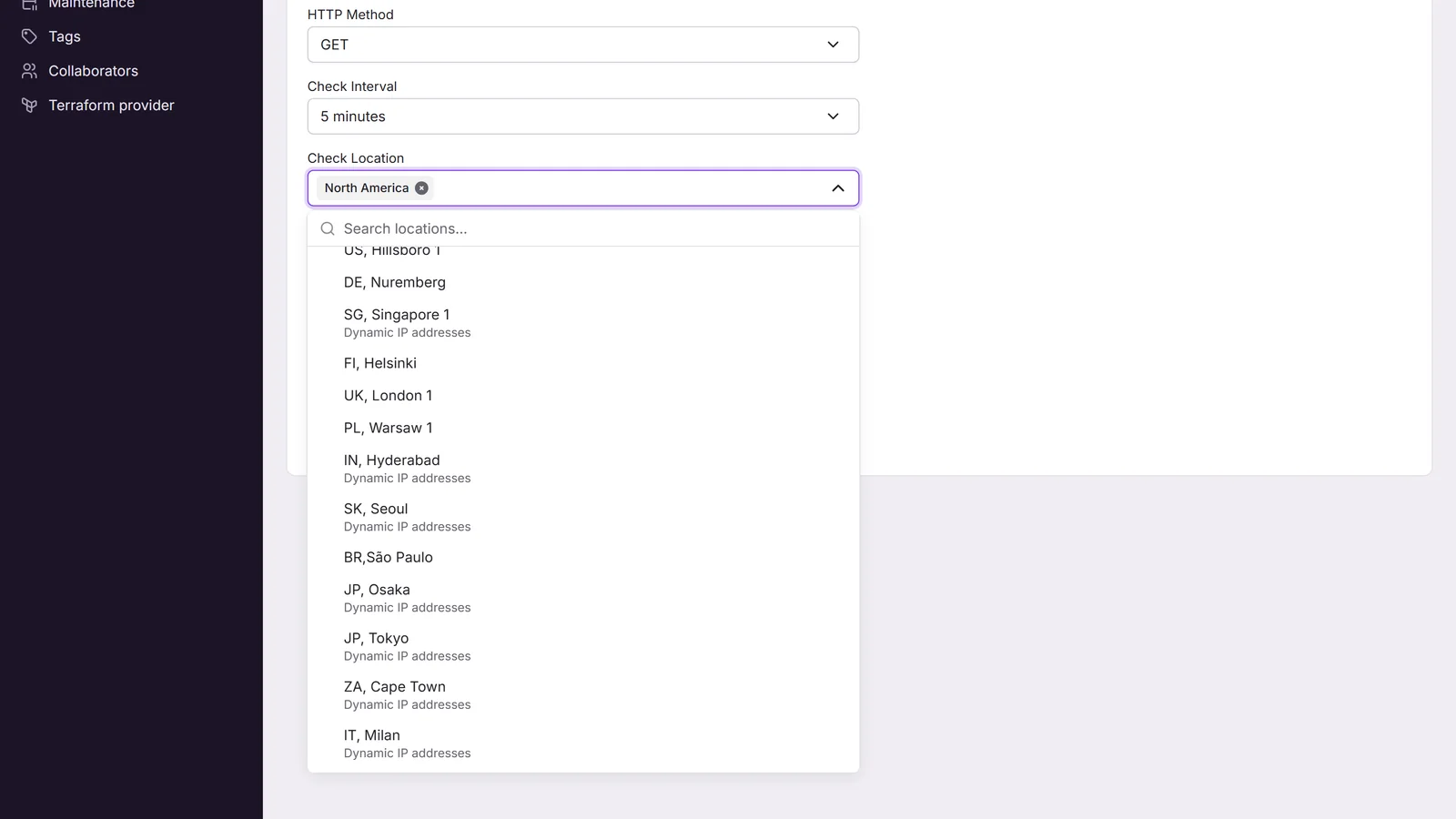
Eight of the new locations check from dynamic IP addresses, and so do Singapore, Seoul and Hyderabad. If your firewall only lets in traffic from our IP addresses, read the section on allowlists before you add them to a monitor.
The new locations
- Europe: Milan in Italy, Zurich in Switzerland, Aragon in Spain and Belgrade in Serbia.
- Asia: Tokyo and Osaka in Japan, and the United Arab Emirates.
- Latin America: Querétaro in Mexico.
- Africa: Cape Town in South Africa.
When you set a monitor to a region instead of picking locations, we check it from the locations of that region in turn. Monitors set to Europe, Asia or Latin America now use the new locations of their region as well, with no change on your side. Cape Town doesn’t belong to any region, so to check from Africa, pick Cape Town as an individual location.
All 24 locations
| Region | Fixed IP addresses | Dynamic IP addresses |
|---|---|---|
| North America | New York, San Francisco, Atlanta, Hillsboro, Toronto | None |
| Latin America | São Paulo | Querétaro |
| Europe | London, Paris, Nuremberg, Helsinki, Warsaw, Belgrade | Milan, Zurich, Aragon |
| Asia | None | Tokyo, Osaka, Seoul, Singapore, Hyderabad, United Arab Emirates |
| Australia | Sydney | None |
| No region | None | Cape Town |
Why some locations have dynamic IP addresses
The 11 locations in the right-hand column run their checks in a serverless environment across cloud providers, instead of on servers of our own. Each check gets an outgoing address from the provider’s shared pool, so the address can change from one check to the next, and we can’t publish a list of them. In return, we can open a location without renting a server there.
Singapore, Seoul and Hyderabad moved to the same setup. They used to check from fixed addresses, and we have retired those addresses.
Apart from the addresses and ping (see below), a check from one of these locations works like a check from any other. It sends the same user agent, and its results count toward alerts and uptime the same way.
If you allowlist our IP addresses
If a firewall, WAF or hosting provider in front of your service only lets in our IP addresses, it will block checks from the dynamic-IP locations, and the monitor can report your service as down while it’s up. To avoid that:
- Pick locations with fixed IPs. In the monitor form, open Check Location. Each location with dynamic IPs shows “Dynamic IP addresses” under its name.
- Check the regions you use. North America and Australia only have fixed-IP locations. Europe and Latin America have both kinds, and every location in Asia uses dynamic IPs. A monitor set to Europe, Latin America or Asia can be checked from a dynamic-IP location, so pick individual locations instead.
- Or allow our user agent. Every location sends
Mozilla/5.0 (compatible; StatusDrift/1.0; https://statusdrift.com/user-agent). Anyone can send the same user agent, so a rule on IP addresses is stricter. - Remove the old Asia addresses. If your allowlist has our addresses for Singapore, Seoul or Hyderabad, you can delete them. No checks come from them anymore.
The fixed addresses of all 13 fixed-IP locations, with setup steps for Cloudflare, AWS WAF, Nginx and other tools, are on our IP allowlist page.
Ping monitors
Ping monitors send ICMP packets, and the serverless environment can’t send them. So ping monitors can’t use the dynamic-IP locations. For a ping monitor, the location list greys them out, and the Asia region can’t be selected, because none of its locations can send a ping. A ping monitor set to Europe or Latin America is checked only from the fixed-IP locations of that region.
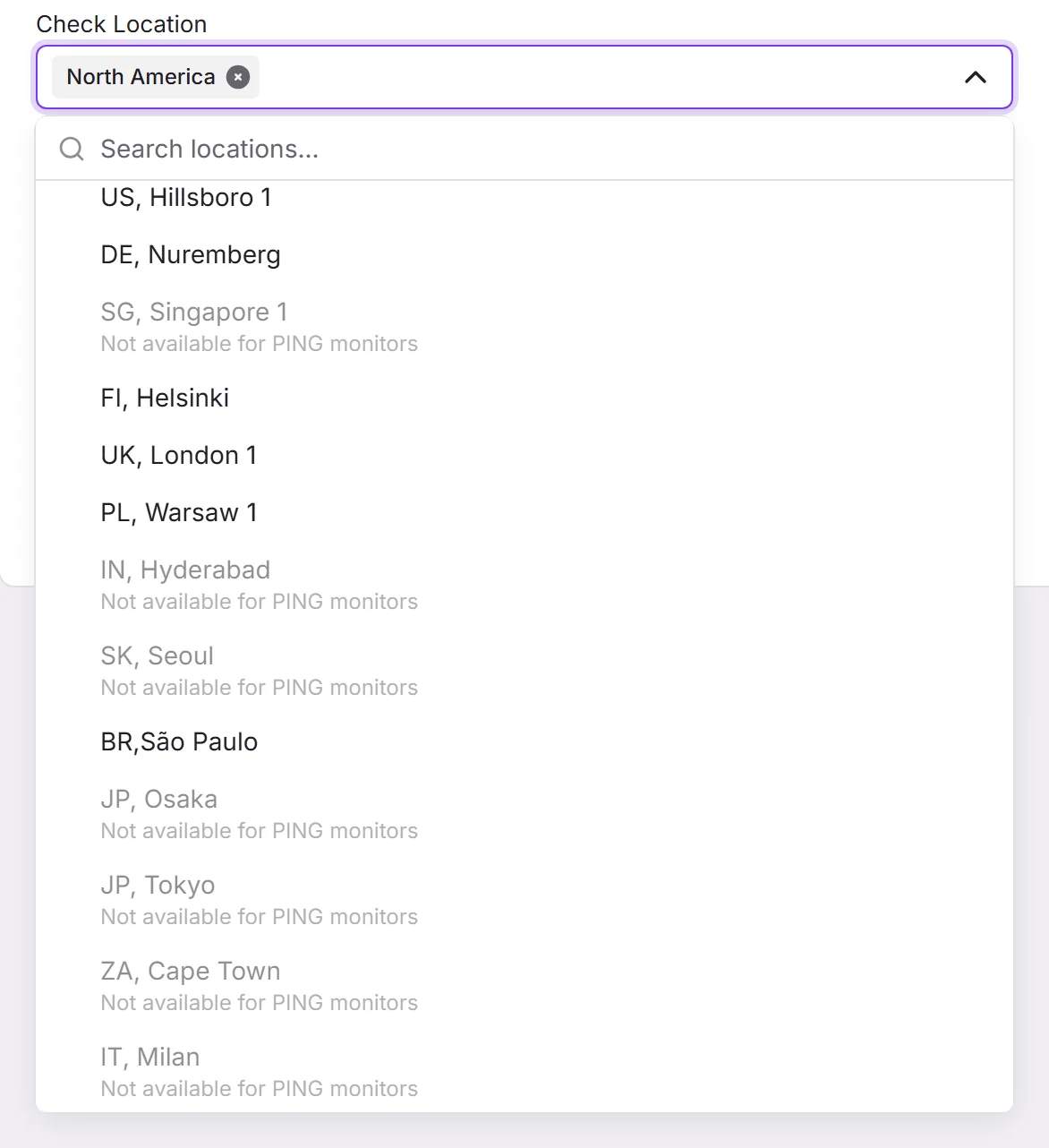
Every other monitor type that runs from a location, such as HTTP, keyword, TCP, DNS and certificate checks, can use all 24.
Try them
To add a new location to a monitor, edit the monitor and pick it under Check Location. If you need a location we don’t have, tell us where.