
StatusDrift provides intelligent alerting features that help you avoid notification fatigue while ensuring you never miss critical incidents. By configuring alert delays and consecutive check requirements, you can filter out transient issues and only get notified about genuine problems.
How Notification Delays Work
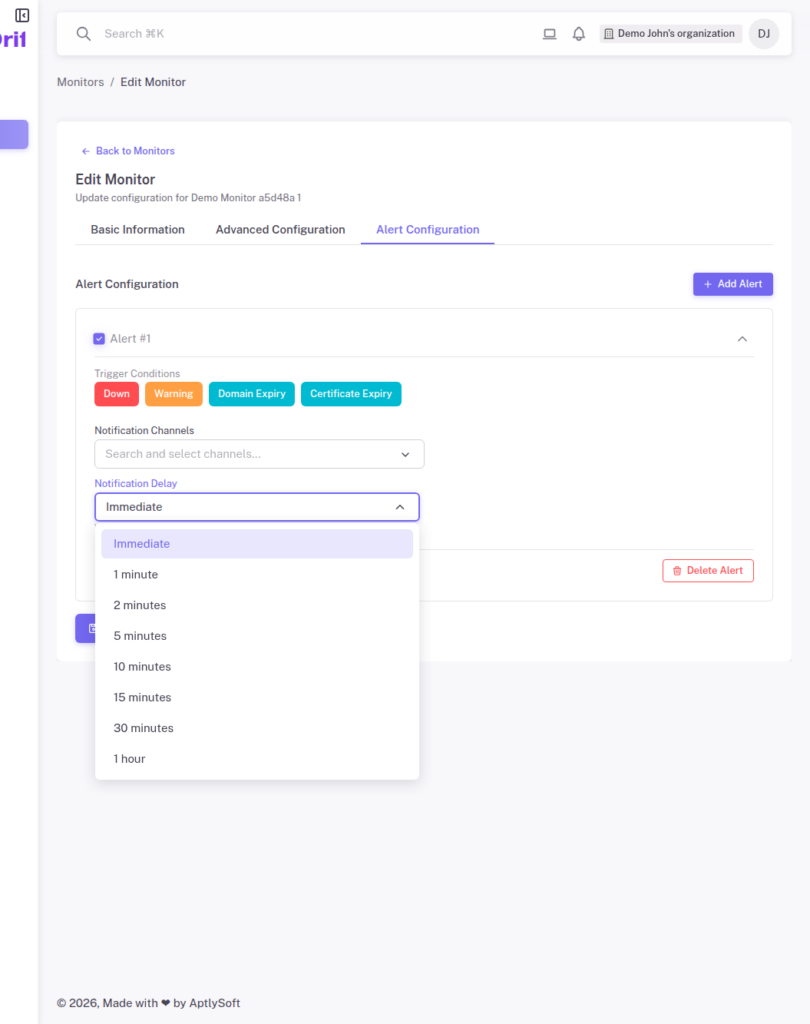
When a monitor detects a potential issue, StatusDrift can wait before sending notifications. This delay helps filter out brief network hiccups or temporary server slowdowns that resolve themselves within seconds.
You can set notification delays from Immediate (no delay) up to 1 hour. Common options include 1, 2, 3, 5, 10, 15, 20, and 30 minutes. Choose a delay based on how quickly you need to respond to incidents and how tolerant you are of brief outages.
Consecutive Check Requirements
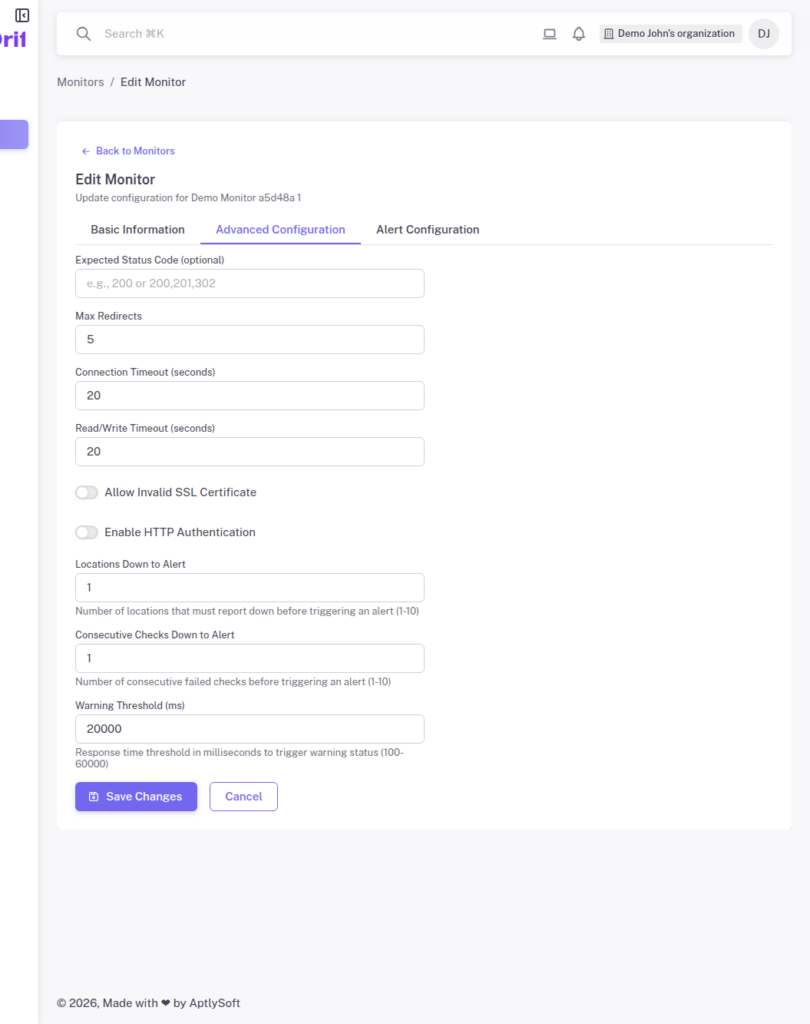
Beyond simple time delays, you can require multiple consecutive failed checks before triggering an alert. The “Consecutive Checks Down to Alert” setting ensures your monitor fails several times in a row before you receive a notification.
For example, if you set this to 3 consecutive checks and your monitor runs every minute, you will only be alerted after three consecutive failures spanning at least 3 minutes. This is especially useful for services that occasionally have brief connection issues.
Multi-Location Confirmation
StatusDrift monitors your services from multiple geographic locations worldwide. The “Locations Down to Alert” setting lets you require failures from multiple locations before triggering a notification.
This helps distinguish between localized network issues (affecting only one region) and genuine outages affecting your entire service. If a single monitoring location experiences connectivity problems, you will not receive a false alarm.
Recommended Configurations
For production services requiring high availability, we recommend:
- Notification delay: 2-5 minutes to filter transient issues
- Consecutive checks: 2-3 checks to confirm persistent problems
- Locations down: 2+ locations to avoid false positives from regional issues
For critical services where every second counts, consider using immediate notifications with just 1 consecutive check and 1 location. You can always adjust these settings based on your operational experience.