
StatusDrift supports response assertions for HTTP/S and HTTP/S Keyword monitors. Assertions let you validate structured response bodies with JSON Path, XPath, or regex patterns, so a monitor can check more than the status code alone.
When to use JSON Path or XPath
- Use JSON Path when the endpoint returns JSON, such as an API health response.
- Use XPath when the endpoint returns XML or HTML and you need to target a specific node or value.
- If the response is plain text or you need a looser pattern, use Regex instead.
Open the monitor form
Go to Monitors, then select Add Monitor or edit an existing HTTP/S monitor. Configure the URL and method as usual, then open the Advanced Configuration tab and scroll to Response Assertions.
Set up a JSON Path assertion
For JSON APIs, add an assertion and leave the type set to JSON Path. Then enter the JSON Path expression, choose a comparison, and provide the expected value when the comparison requires one.
- Example URL:
https://httpbin.org/json - Type:
JSON Path - Expression:
$.slideshow.title - Comparison:
Equals - Expected value:
Sample Slide Show
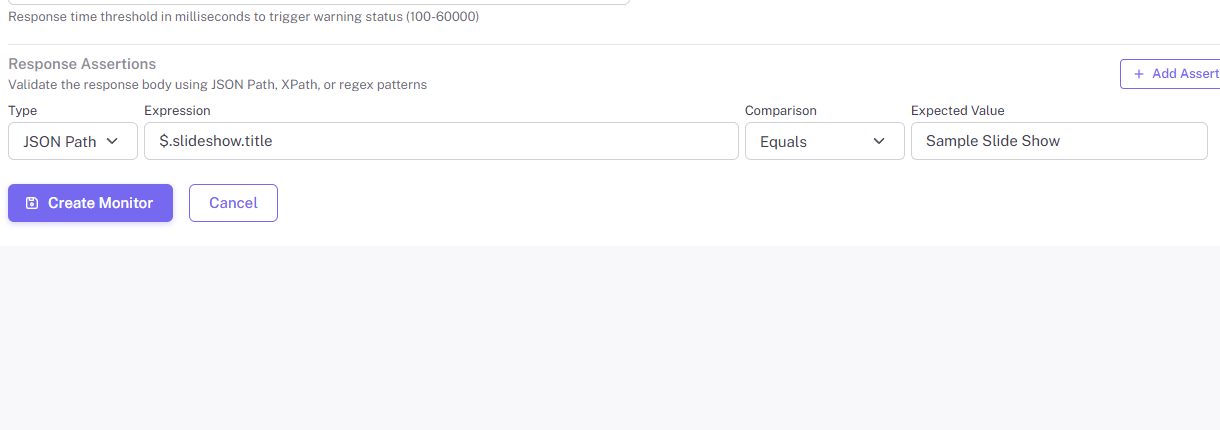
This setup passes when the response contains a JSON property at $.slideshow.title and the returned value exactly matches Sample Slide Show.
Set up an XPath assertion
For XML or HTML responses, change the assertion type to XPath. Then enter the XPath expression, choose a comparison, and add the expected value if needed.
- Example URL:
https://httpbin.org/xml - Type:
XPath - Expression:
//slide[1]/title/text() - Comparison:
Equals - Expected value:
Wake up to WonderWidgets!
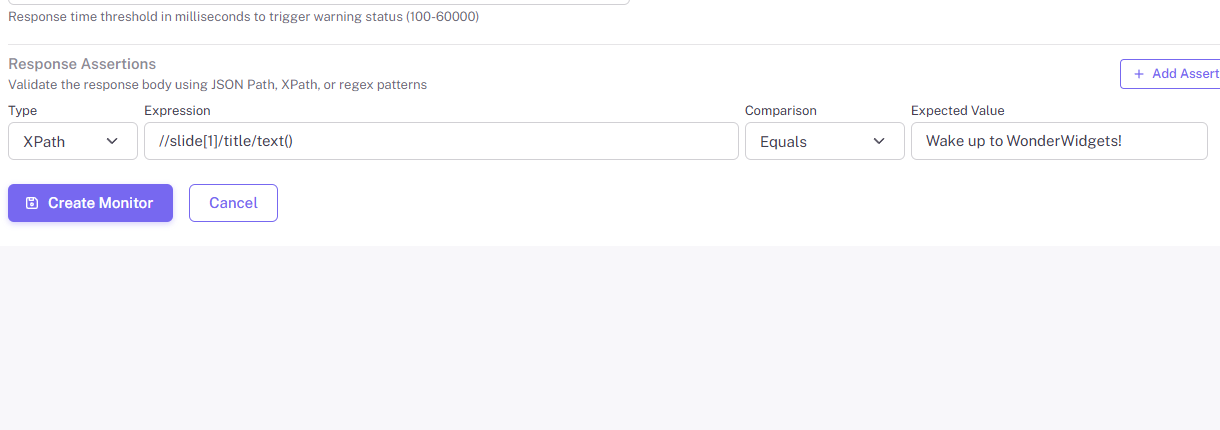
This setup passes when the first <slide> node contains a <title> value of Wake up to WonderWidgets!.
Comparison options
JSON Path supports comparisons such as Equals, Contains, Greater than, Exists, and Is empty. XPath supports Equals, Contains, Exists, and related negative checks. Comparisons like Exists and Does not exist do not require an expected value.
Tips and troubleshooting
- Assertions are available on HTTP/S and HTTP/S Keyword monitors.
- Make sure the expression matches the actual response body returned by the endpoint, not just what you expect the application to send.
- If the endpoint returns HTML instead of JSON, a JSON Path assertion will fail even if the page looks correct in a browser.
- You can add multiple assertions to the same monitor when you need to validate more than one field or node.