
StatusDrift maintains a complete record of every notification sent through your channels. The Delivery History feature provides visibility into notification attempts, helping you verify that alerts are reaching their destinations and troubleshoot any delivery issues.
Accessing Delivery History
There are two ways to view notification delivery history:
Global Delivery History
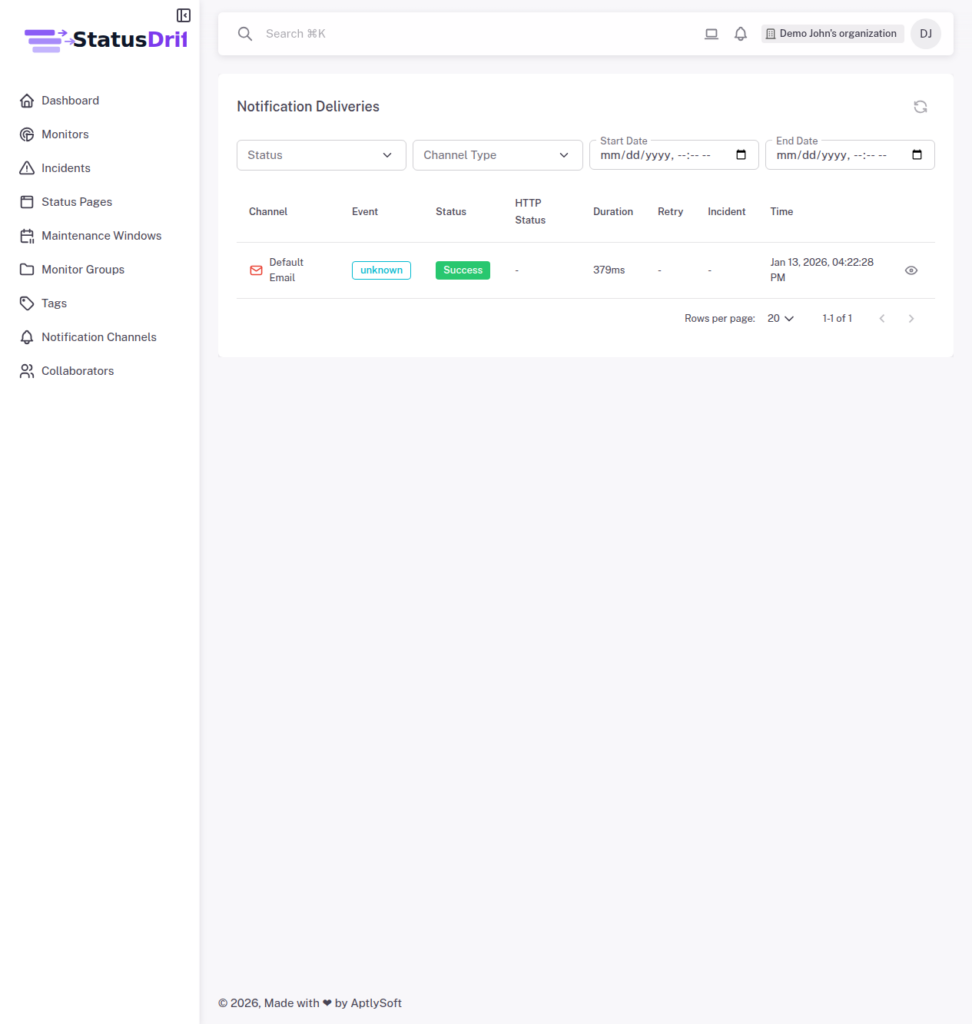
Navigate to Notification Channels and click the Delivery History button at the top of the page. This view shows all notification deliveries across all channels, giving you a comprehensive overview of your notification activity.
Channel-Specific History
Click on any channel name to open its detail page. The Delivery History section at the bottom shows all notifications sent through that specific channel, making it easier to focus on a particular integration.
Filtering Delivery Records
Both views provide filtering options to help you find specific deliveries:
- Status: Filter by Success or Failed deliveries
- Channel Type: Filter by notification channel type (available in global view)
- Start Date: Show deliveries from a specific date onward
- End Date: Show deliveries up to a specific date
Understanding Delivery Information
Each delivery record in the list displays key information at a glance:
- Channel: The notification channel used for delivery
- Event: The type of event that triggered the notification (e.g., monitor_down, monitor_up, or “unknown” for manual tests)
- Status: Whether the delivery succeeded or failed
- HTTP Status: The HTTP response code from the destination service (for webhook-based channels)
- Duration: How long the delivery took in milliseconds
- Retry: Indicates if this was a retry attempt
- Incident: Link to the related incident (if applicable)
- Time: When the notification was sent
Viewing Delivery Details
Click the View details button on any delivery record to see comprehensive information about that specific notification attempt.
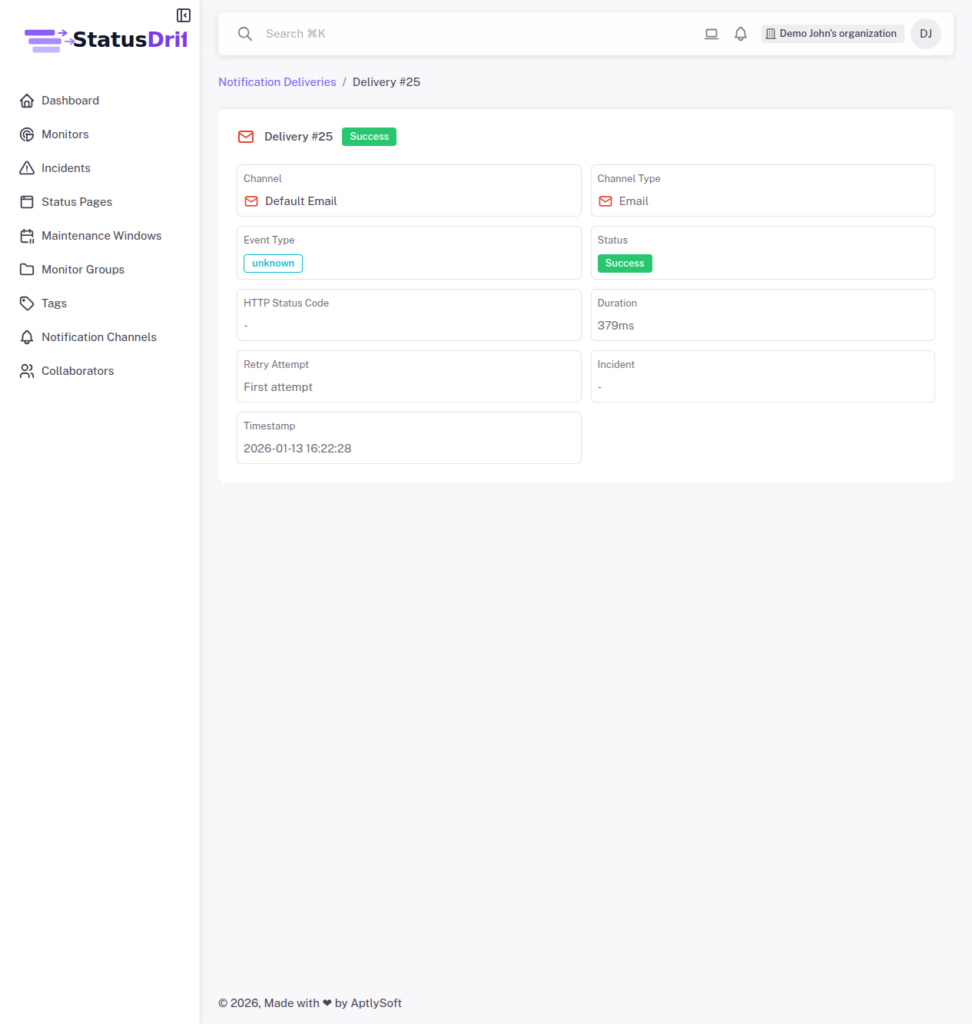
The detail page includes:
- Channel: Name and type of the notification channel
- Event Type: What triggered this notification
- Status: Success or failure indicator
- HTTP Status Code: Response from the destination service
- Duration: Time taken to complete the delivery
- Retry Attempt: Whether this was the first attempt or a retry
- Incident: Link to the associated incident
- Timestamp: Exact date and time of the delivery attempt
Using Delivery History for Troubleshooting
Delivery history is valuable for diagnosing notification issues:
- Identify patterns: Look for recurring failures that might indicate configuration problems
- Check timing: Verify that notifications were sent at the expected times
- Review HTTP codes: Use status codes to understand why deliveries failed (e.g., 401 for authentication issues, 404 for incorrect URLs)
- Monitor duration: Unusually long delivery times might indicate network or service issues
- Track retries: Multiple retry attempts for the same notification suggest intermittent connectivity problems